 Pamatovák
Your whole family in one calendar.
Reminders that keep nudging.
Clubs, visits, bills, car service and documents in one place. Pamatovák reminds you of what matters and keeps at it until it’s done. Everyone sees the same.
What Pamatovák does
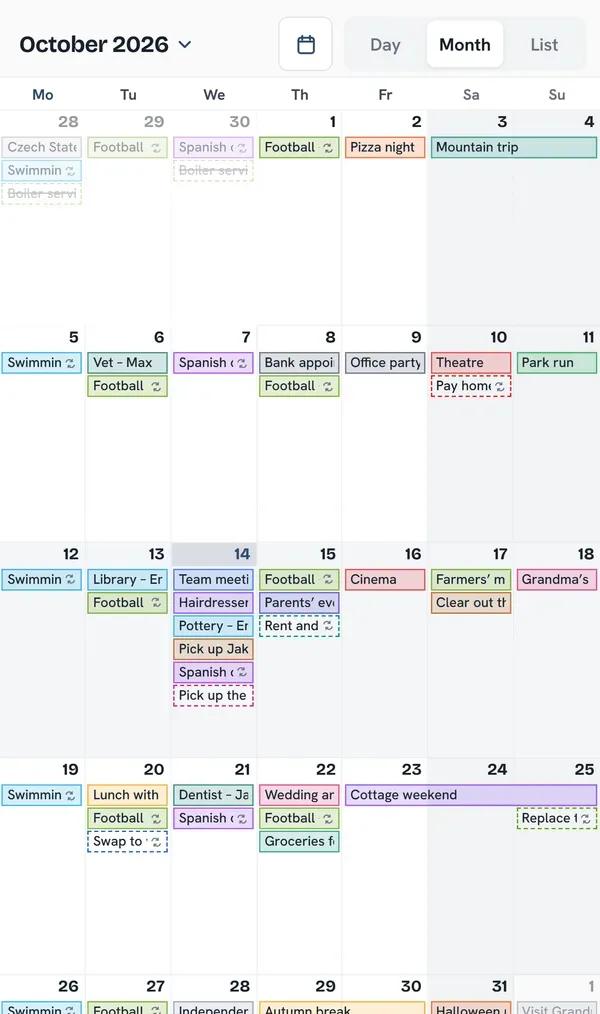
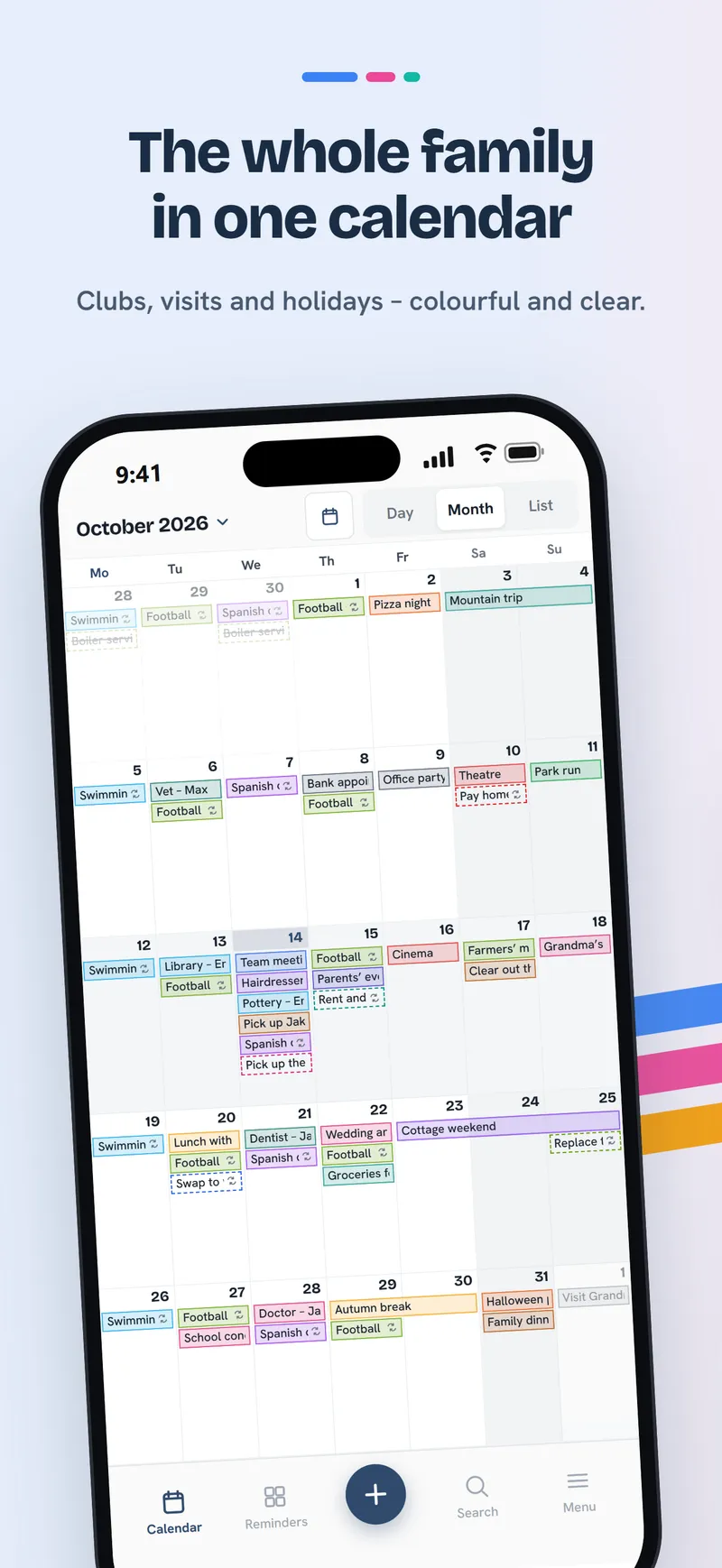
Your whole family in one calendar
Clubs, visits, shifts and holidays. Every calendar has its own colour, so you see at a glance who has what and when. Month, day or list – and you add an event by holding a day.
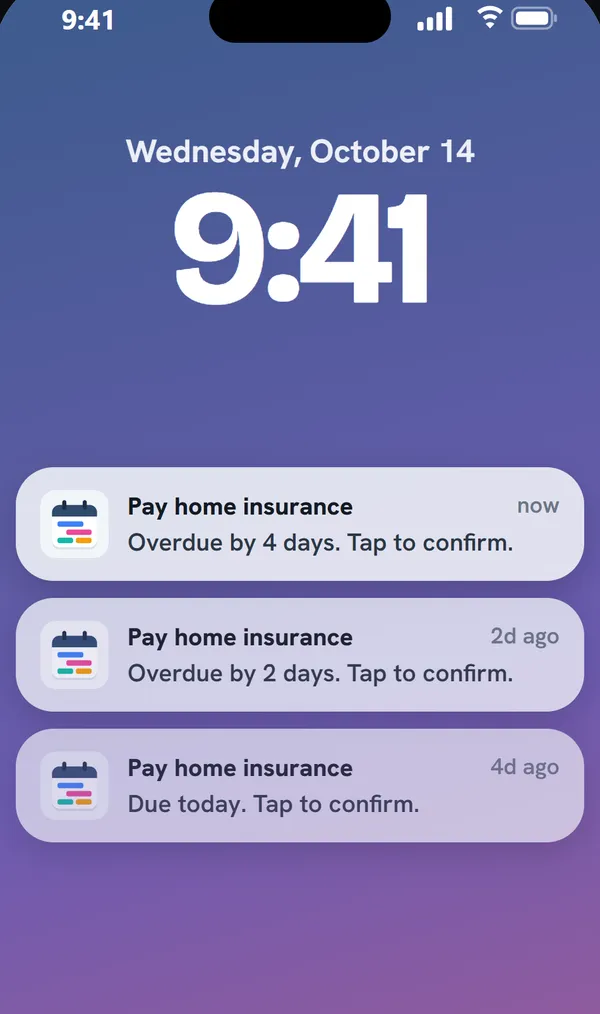
Reminders that keep nudging
Insurance, car checks, taxes, documents. Pamatovák speaks up ahead of time and again after the due date – every two days, say – until you tick it off. Urgent reminders ring like an alarm on iPhone.
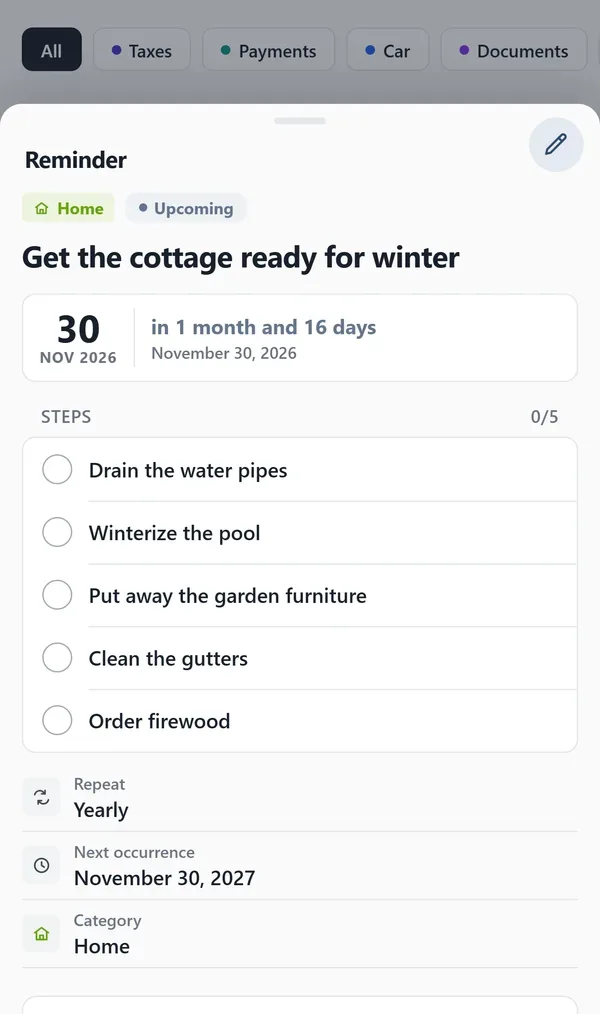
One sentence is enough
“Get the cottage ready for winter by the end of November” – and AI turns it straight into a reminder with a date, a repeat, a category and steps. If the time is missing, it asks and offers when you’re free. Type it, say it, or ask Siri.
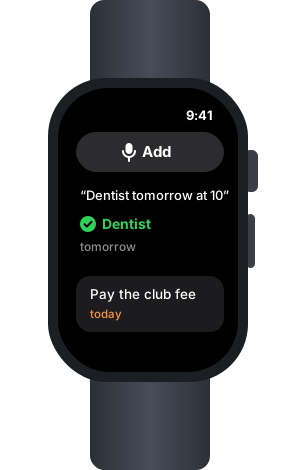
Just tell your watch
On Apple Watch tap Add and say, for example, “dentist tomorrow at ten”. No typing – AI turns the sentence into an event or a reminder and saves it to your calendar. What’s due is on your wrist too, ticked off right there.
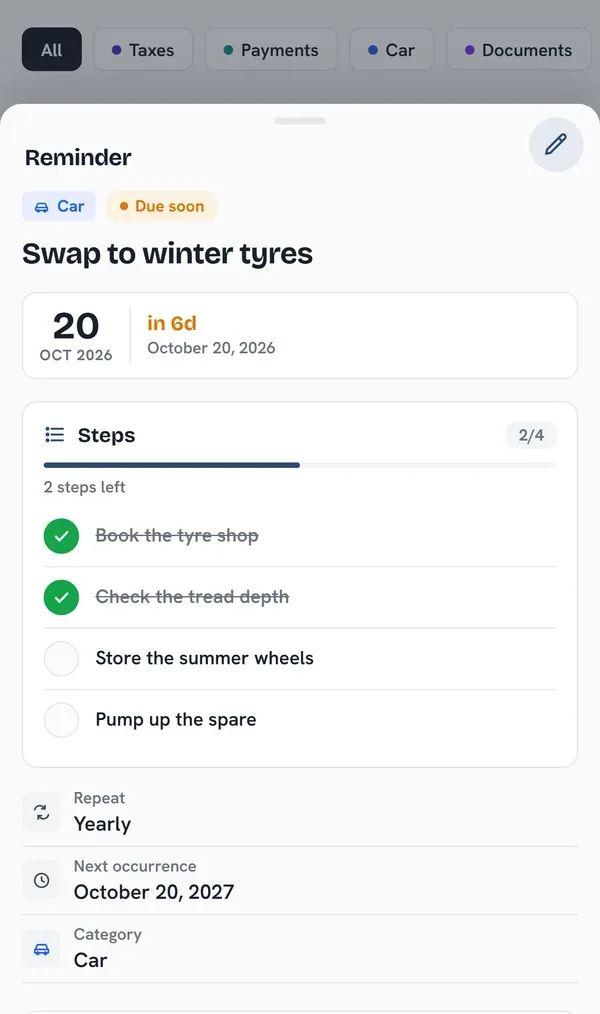
Repeats and steps
Rent every month, a car check every two years. Split a bigger task into steps and tick them off one by one. Once done, the reminder moves on to the next date by itself.
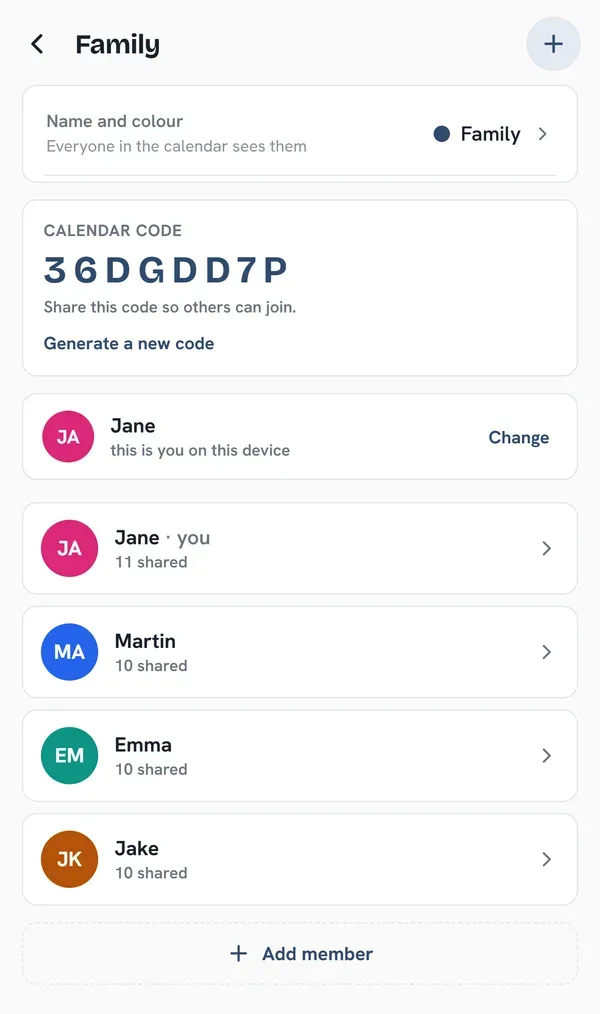
Share with one code
Send your family the calendar code – no sign-up, e-mails or passwords. What anyone adds or finishes shows up for the others within moments. An admin can approve new devices.
And also
Widgets and Siri
What’s due is on your Home Screen and Lock Screen, ticked off right there. Add a new reminder or event through Siri, too.
iPhone calendars and iCloud
Your work calendar, iCloud and the iPhone’s reminders next to the family ones. iPhone data stays on the phone.
iPhone and iPad
On iPad the calendar and the detail sit side by side. A shared calendar is the same on both.
Getting started
- 1
Get the app
On iPhone and iPad from the App Store.
- 2
Create a calendar
Name it and pick a colour. No account or e-mail needed.
- 3
Send the code to your family
Whoever enters the code sees and edits the same as you.
Privacy first
- No ads, no tracking
- No accounts, e-mails or passwords
- Data on a secure server
- Your iPhone’s calendars never leave it
FAQ
Do I need an account?
No. A calendar is shared with a code – no sign-up, e-mail or password.
Does it work with iCloud and the iPhone’s calendars?
Yes. A calendar can be linked with iCloud, and the iPhone app also shows the phone’s own calendars and reminders.
Where is my data?
On a secure server – only those who know the calendar code can get to it. Your iPhone’s calendars and reminders stay on the phone.